Understanding the Power of Google Answer Boxes
Millions of searches happen every day, but only a few websites get featured in Google’s answer box. Missing this prime SERP placement can mean losing substantial organic traffic, authority, and credibility. The Google answer box often called a featured snippe appears above organic results, providing concise, immediate answers to user queries.
Appearing in the answer box is not just about traffic; it establishes your website as an authority in your niche. Users instantly trust content featured by Google, making it an invaluable SEO goal.
Google answer boxes display direct, concise answers to search queries. To appear here, your content must be structured, clear, and authoritative, optimized to match user intent and technical SEO standards.
What is a Google Answer Box?
Types of Answer Boxes
Google uses several answer box formats depending on the query type:
-
Paragraph snippets: Short, direct answers of 40–60 words.
Example: “What is AI?” shows a concise definition. -
Lists: Numbered or bulleted lists for step-by-step instructions or ranked items.
Example: “Top 5 project management tools.” -
Tables: Used to compare data, costs, or features.
Example: Price comparison of smartphones. -
Videos: Tutorial content often appears in a video snippet.
-
How-to steps: Stepwise instructions for actionable queries.
Why Google Chooses Specific Content
Google algorithm favors content that is:
-
Highly relevant to the query
-
Clear and concise, easy for users to digest
-
Authoritative, supported by credible sources
Example: Searching “what is AI?” may feature a paragraph snippet from a top-ranking site like Wikipedia or a tech blog, with precise wording and structured explanation.
How Google Determines Eligibility for Answer Boxes
Technical SEO Factors
-
Structured data / schema markup: Use FAQ, How-to, or Q&A schema to provide context.
-
Page speed and mobile-friendliness: Fast-loading, responsive pages are prioritized.
-
Secure website (HTTPS): Security signals enhance trustworthiness.
Content Factors
-
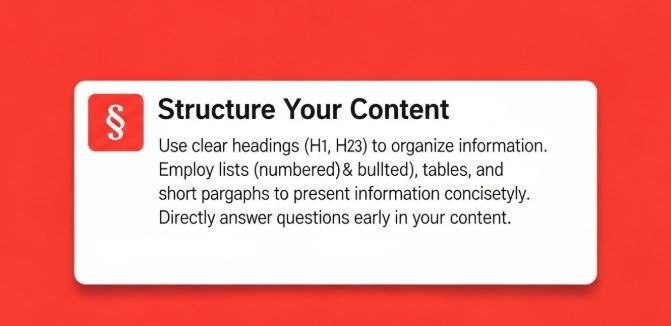
Include the exact question as H2 or H3 headings.
-
Provide a concise 40–60 word answer at the start.
-
Include lists, tables, or stepwise instructions where relevant.
-
Link to high-authority outbound references to increase credibility.
User Engagement Signals
Google monitors how users interact with content:
-
Click-through rate (CTR): Higher CTR signals content relevance.
-
Bounce rate: Low bounce rate shows users find content useful.
-
Time on page: Longer engagement improves trust signals.
Step-by-Step Method to Appear in Google Answer Box
Keyword Integration: How to appear in Google answer box
Step 1 – Identify High-Intent Questions
-
Use AnswerThePublic, SEMrush, or Ahrefs to find questions Google frequently features.
-
Focus on high-search-volume, low-competition queries for better chances.
-
Example: Target queries like “how to optimize images for SEO” instead of vague terms like “SEO tips.”
Step 2 – Structure Content for Snippets
-
Use H2/H3 headers with the exact question.
-
Provide concise 1–2 sentence answers immediately below the header.
-
Include numbered or bulleted lists for process-type queries.
Example:
H3: How to optimize images for SEO?
-
Compress images to reduce size
-
Use descriptive alt text
-
Choose proper file formats (JPEG/WebP)
-
Add structured data if relevant
Step 3 – Use Schema Markup
-
Implement FAQ, How-to, or Q&A schema.
-
Structured data helps Google understand your content better, increasing chances of featured snippets.
Step 4 – Optimize On-Page SEO
-
Include the keyword naturally 2–3 times per section.
-
Use LSI keywords like “featured snippet SEO,” “Google snippet optimization,” “structured data SEO.”
-
Link to relevant internal authority pages to strengthen topical authority.
Step 5 – Monitor and Adjust
-
Track SERP features using Google Search Console.
-
Update content regularly to maintain accuracy.
-
Analyze competitor answer boxes to identify gaps and opportunities.
Common Mistakes That Prevent Appearing in Google Answer Box
Mistakes to Avoid
-
Overly long answers (>100 words)
-
Poor header structure (no H2/H3 with question)
-
Lack of structured data / schema
-
Targeting irrelevant queries
-
Ignoring mobile optimization
Why These Mistakes Matter
-
Google may ignore content for answer boxes
-
Reduced CTR and visibility
-
Missed opportunity to establish authority
Comparison Table – Effective vs Ineffective Answer Box Content
| Feature | Effective Content | Ineffective Content |
|---|---|---|
| Answer Length | 40–60 words | Over 150 words |
| Structure | Clear H2/H3 with question | No headers |
| Data Support | Stats, examples, references | Vague statements |
| Schema | FAQ/How-to markup | None |
| Readability | Simple, concise, direct | Long, complex sentences |
| Multimedia | Relevant images or tables | None |
Frequently Asked Questions (FAQ)
FAQ – How to Appear in Google Answer Box
-
What is a Google answer box?
-
A snippet that provides a direct answer to user queries at the top of search results.
-
-
How can I rank for a featured snippet?
-
Optimize content with concise answers, structured headers, and schema markup.
-
-
Does page authority affect answer box eligibility?
-
Yes, high-authority pages are more likely to be chosen.
-
-
Can I target multiple keywords in one answer box?
-
Focus on one main question per snippet for clarity.
-
-
Do images help appear in answer boxes?
-
Yes, relevant images or diagrams increase selection chances.
-
-
How fast can I appear in Google answer box?
-
Usually within a few weeks if content is optimized and indexed.
-
-
Is schema markup necessary?
-
Strongly recommended, especially FAQ and How-to schema.
-
-
Do lists perform better than paragraphs?
-
For “how-to” queries, numbered or bulleted lists perform best.
-
-
Can old content get featured?
-
Yes, updating old content with concise answers increases chances.
-
-
How do I track my featured snippet performance?
-
Use Google Search Console and tools like SEMrush or Ahrefs.
-
-
Can videos appear in answer boxes?
-
Yes, especially for step-by-step or tutorial content.
-
-
What mistakes to avoid for answer box optimization?
-
Overlong answers, poor structure, missing schema, irrelevant content.
-
Expert Tips to Boost Your Chances
-
Use exact keyword in question headers
-
Keep answers concise and structured
-
Add statistics, examples, and small calculations for credibility
-
Monitor competitor answer boxes for content gaps
-
Update content regularly for accuracy and relevance
Summary + Expert Conclusion
Appearing in the Google answer box is about concise, structured, and authoritative content. By using proper H2/H3 headers, schema markup, optimized on-page SEO, and monitoring user engagement signals, you can dramatically increase your chances.
Key strategies:
-
Clear, short answers (40–60 words)
-
Structured headers with exact questions
-
FAQ/How-to schema markup
-
High-authority references and internal linking
-
Regular content updates
Mastering these strategies not only increases visibility but positions your website as a trusted authority in your niche, driving sustainable organic traffic and enhanced credibility.



Leave a comment