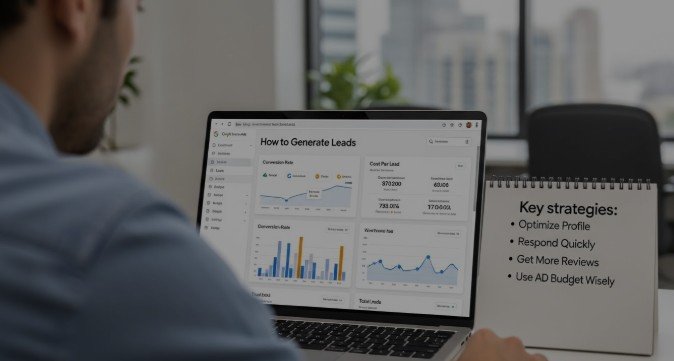
Generating consistent, high-quality local leads is one of the biggest challenges for service-based businesses. Google Local Services Ads (LSAs) have emerged as one of the most powerful solutions because they put your business directly in front of customers who are actively ready to hire. This guide is written to be the most complete, practical, and Google-friendly resource on how to generate leads in Google Local Services Ads covering not just what works, but why it works and how to execute it correctly.
Short Answer: How to Generate Leads in Google Local Services Ads
You generate leads in Google Local Services Ads by fully verifying your business, selecting the right categories and service areas, maintaining fast response times, earning strong reviews, and setting a competitive budget. Google then ranks your business based on trust signals, relevance, proximity, and performance sending you calls and messages from high-intent local customers.
LSAs work best for home services, legal, healthcare, and local professional services where customers search with immediate intent (e.g., “plumber near me” or “divorce lawyer nearby”).
What Are Google Local Services Ads (LSAs) and How They Work
Google Local Services Ads are lead-based ads that appear at the very top of Google search results, above traditional Google Ads and organic listings.
Definition of Google Local Services Ads
LSAs allow local businesses to advertise directly to nearby customers and pay per lead, not per click. A lead can be a phone call, message, or booking request.
Where LSAs Appear in Google Search Results
They appear in the “Local Services” pack, often with a Google Guaranteed or Google Screened badge, business reviews, and contact buttons.
Lead-Based vs Click-Based Advertising
Unlike Google Search Ads (pay per click), LSAs charge you only when a valid lead contacts your business.
Types of Leads
- Phone calls
- Message inquiries
- Booking requests (in supported industries)
Why Google Local Services Ads Are One of the Highest-Converting Lead Sources
LSAs consistently outperform many other channels because of buyer intent and trust.
- Very high buyer intent: Users are actively looking to hire now
- Trust signals: Google Guaranteed / Screened badges reduce hesitation
- Maximum visibility: Shown above all other ads
- Cost efficiency: You pay only for real leads, not traffic
Compared to SEO, PPC, or social ads, LSAs often produce the fastest ROI for local service businesses.
How to Generate Leads in Google Local Services Ads
Google uses a dynamic ranking system to decide which businesses appear and in what order. Understanding this system is essential to generating leads.
Core Mechanics That Control Lead Volume
- Business relevance to the search
- Location proximity
- Review quality and volume
- Responsiveness to calls/messages
- Budget and bidding preferences
How Google Decides Which Businesses Get Shown
Google prioritizes businesses that answer calls quickly, maintain strong reviews, and have accurate service coverage.
Relationship Between Ranking, Budget, Responsiveness, and Reviews
Higher budgets increase visibility, but poor responsiveness or low trust can still limit leads, even with spend.
Key Ranking Factors That Impact Lead Generation in Google Local Services Ads
- Proximity & service area accuracy: Incorrect areas reduce impressions
- Business category selection: Wrong categories = irrelevant traffic
- Reviews: Quantity, rating, and consistency matter
- Responsiveness: Missed calls directly lower rankings
- Budget & lead caps: Too low limits exposure
- Verification & trust badges: Mandatory for competitive placement
How to Generate Leads in Google Local Services Ads Consistently
Consistent lead flow comes from active optimization, not a one-time setup.
Businesses that win with LSAs:
- Monitor performance weekly
- Improve response times
- Actively generate reviews
- Adjust budgets based on demand
Most failures happen because businesses treat LSAs as “set it and forget it.”
Step-by-Step Guide: How to Generate Leads in Google Local Services Ads
Step 1: Choose the Right Business Category & Services
Select the most specific primary category. A mismatch dramatically reduces lead quality.
Step 2: Optimize Your Service Areas for Maximum Coverage
Use ZIP codes or radius targeting wisely to avoid wasted impressions outside your true service zone.
Step 3: Complete Google Verification & Trust Badges
Google Guaranteed and Google Screened directly increase visibility and conversion rates.
Step 4: Set the Right Budget and Lead Volume Controls
Higher budgets improve impression share. Use lead caps only if you cannot handle volume.
Step 5: Optimize Call Handling & Response Time
Aim to answer 90%+ of calls. Missed calls hurt rankings almost immediately.
Step 6: Generate and Manage Google Reviews Strategically
Focus on steady review velocity, not just total count. Ask after successful jobs.
Step 7: Dispute Bad Leads and Improve Lead Quality
Dispute spam, wrong numbers, or irrelevant leads to protect ROI and signal quality to Google.
Common Problems That Stop Businesses From Getting Leads in LSAs
- Ads active but no impressions → budget or category issue
- Impressions but no calls → weak reviews or poor trust
- High spend, low-quality leads → service area or category mismatch
- Ranking below competitors → slower response or fewer reviews
Comparison Table: Google Local Services Ads vs Other Lead Generation Methods
&eature |
Google Local Services Ads |
Google Search Ads |
SEO (Organic) |
Facebook Ads |
|---|---|---|---|---|
| Payment Model | Pay per lead | Pay per click | Free (long-term) | Pay per click |
| Buyer Intent | Very High | High | Medium–High | Low–Medium |
| Trust Factor | Google Guaranteed | Moderate | Brand-based | Low |
| Speed of Results | Immediate | Immediate | Slow | Immediate |
| Lead Quality | Highest | High | High | Mixed |
Advanced Optimization Strategies to Scale Lead Volume
- Increase impression share with higher budgets
- Outrank competitors by improving response speed
- Use separate accounts for multi-location businesses
- Scale budgets seasonally during peak demand
How to Track, Measure, and Improve LSA Lead Performance
Focus on real business metrics, not vanity data:
- Cost per lead
- Lead-to-customer conversion rate
- Revenue per lead
- Dispute success rate
Track calls and bookings to understand true ROI.
Industries That Get the Best Results From Google Local Services Ads
- Home services (plumbing, HVAC, roofing, cleaning)
- Legal professionals
- Healthcare providers
- Local professional services
FAQs: How to Generate Leads in Google Local Services Ads
How much do Google Local Services Ads cost per lead?
Costs vary by industry and location but typically range from $20–$150 per lead.
Why am I not getting leads from Google Local Services Ads?
Common causes include low budget, missed calls, weak reviews, or incorrect categories.
How long does it take to start getting leads from LSAs?
Once verified, many businesses see leads within days.
Are Google Local Services Ads better than Google Ads?
For local services, LSAs often deliver higher-quality leads at lower risk.
How do reviews affect Google Local Services Ads rankings?
Reviews strongly influence both visibility and conversion rates.
Can I pause or control lead volume in LSAs?
Yes, using budgets and lead caps.
What is a bad lead and how do disputes work?
Leads outside your services or spam can be disputed for credit.
Do Google Local Services Ads work for small businesses?
Yes especially small, responsive businesses with strong reviews.
Conclusion: Is Google Local Services Ads the Best Way to Generate Local Leads?
For most service-based businesses, Google Local Services Ads are one of the fastest and most reliable ways to generate high-intent local leads. They work best when combined with strong reviews, fast response times, and proper optimization. While LSAs shouldn’t replace SEO or PPC entirely, they are often the most profitable channel for immediate local growth and long-term stability when managed correctly.



Leave a comment