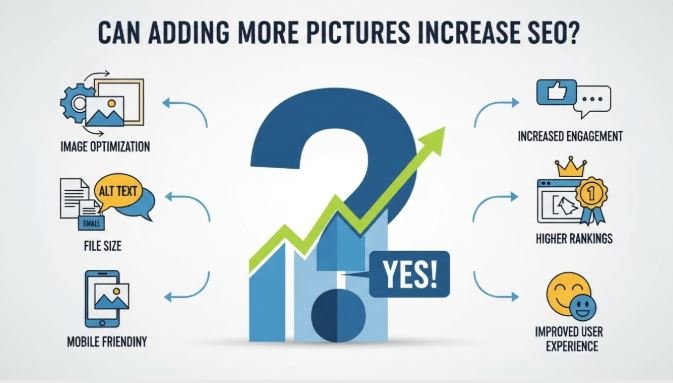
Images are more than just visual decoration they are powerful tools that can influence how search engines and users perceive your content. But the big question remains: can adding more pictures increase SEO? The answer isn’t a simple yes or no; it depends on how images are used, optimized, and integrated into your content strategy. In this article, we’ll break down everything you need to know about images and SEO, from technical best practices to engagement benefits, and provide actionable guidance to ensure every picture on your website works for you.
Short Answer: Does Adding More Pictures Boost SEO?
Yes, adding pictures can enhance SEO, but not automatically. Images contribute to SEO primarily through user experience, engagement, and content richness, rather than directly boosting rankings. Search engines like Google reward pages that are comprehensive, visually engaging, and provide contextually relevant media.
However, the SEO benefits depend on proper optimization. This includes:
- Alt text that describes the image and incorporates keywords naturally.
- File size optimization to prevent slow-loading pages.
- Relevance images must complement the content rather than serve as decoration.
In short, more pictures can improve SEO but only if they are meaningful, optimized, and enhance the overall user experience.
Understanding How Images Impact SEO
The Role of Images in SEO
Images help search engines understand content better. Google evaluates pages not only for textual content but also for how visually complete and engaging they are. Well-placed images can:
- Enhance page comprehension by breaking down complex topics.
- Increase dwell time as users engage with visual content.
- Provide context that supports semantic relevance, signaling to Google that your content fully covers a topic.
For example, a blog post about “SEO strategies” with relevant charts or infographics can demonstrate expertise more effectively than a text-only article.
Technical SEO Factors for Images
To truly benefit SEO, images must be technically optimized:
- Alt Text Optimization – Provide descriptive, keyword-rich alt text for accessibility and SEO.
- File Size and Loading Speed – Compress images to ensure fast page loading, as speed is a critical ranking factor.
- Responsive Images – Ensure images adapt to mobile screens for mobile-first indexing.
- Structured Data & Sitemaps – Use image sitemaps and schema markup to help Google index your images effectively.
UX and Engagement Benefits
Images improve user experience, which indirectly boosts SEO:
- Pages with high-quality visuals see longer session durations.
- Infographics and charts enhance comprehension and retention.
- Properly integrated images reduce bounce rates, signaling valuable content to search engines.
Can Adding More Pictures Increase SEO?
When Adding More Images Helps
Adding more images is beneficial when done strategically:
- Relevant, high-quality visuals support content and clarify concepts.
- Diagrams, charts, and infographics make content easier to digest.
- Increased dwell time and reduced bounce rate improve user engagement signals for SEO.
When Adding More Images Doesn’t Help
More pictures aren’t always better:
- Overloading pages with irrelevant images can distract users.
- Slow-loading pages due to large images negatively impact rankings.
- Duplicate or poorly optimized images add no SEO value.
The key is quality over quantity each image should have a purpose.
People Also Ask (Sub-Questions)
- Do images help Google understand content better?
- How many images should a blog post ideally have?
- Do stock photos improve SEO?
- Should every image have alt text?
- Can infographics boost search rankings?
Step-by-Step Guide: Optimizing Images for Maximum SEO Benefit
Follow this proven process to maximize the SEO impact of your images:
- Choose Relevant, High-Quality Images – Ensure visuals enhance your content.
- Compress Images Without Losing Quality – Tools like TinyPNG or ShortPixel reduce load time.
- Write Descriptive, Keyword-Rich Alt Text – Describe the image accurately and naturally.
- Use Descriptive File Names – Avoid generic names like “IMG123.jpg.” Use keywords instead.
- Implement Lazy Loading – Load images as users scroll to improve page speed.
- Ensure Images are Mobile-Friendly and Responsive – Use
srcsetor responsive design practices. - Add Captions and Contextual Text – Surround images with descriptive text to provide context.
- Submit an Image Sitemap to Google Search Console – Helps Google discover and index your images.
Following these steps ensures that every image contributes to SEO performance and user experience.
Comparison Table: Image Types and SEO Impact
| Image Type | SEO Benefit | Best Practices | Example Use Case |
|---|---|---|---|
| Stock Photos | Moderate, if relevant | Customize alt text and file name | Blog illustrations |
| Infographics | High, increases shares & engagement | Include keywords, embed schema | How-to guides, tutorials |
| Charts & Graphs | High, improves understanding | Use descriptive captions | Data-heavy content |
| Original Photography | Very high, unique content signal | Compress, optimize alt text | Product pages, portfolios |
| GIFs/Animations | Moderate, engages users but can slow page | Use sparingly, optimize size | Social posts, tutorials |
This table helps content creators select the right type of images for SEO impact while avoiding pitfalls.
FAQs About Adding Pictures and SEO
-
Will adding more images automatically boost my rankings?
No, images must be optimized and relevant; quantity alone doesn’t guarantee SEO improvement. -
How do I optimize images for Google Images search?
Use descriptive alt text, proper file names, and structured data to make images discoverable. -
Can large images hurt SEO?
Yes, large images can slow page speed, negatively affecting rankings. -
Do images help with local SEO?
Yes, adding images with geo-tagging and descriptive text can improve local search visibility. -
Should every page have at least one image?
Ideally, yes. Visuals improve engagement and enhance content comprehension. -
Are GIFs or animations good for SEO?
They can engage users but may impact page speed; optimize carefully. -
How do I know if my images are hurting page speed?
Use tools like Google PageSpeed Insights or GTmetrix to monitor performance. -
Does image placement in the content matter for SEO?
Yes, placing images near relevant content improves context and user experience.
Conclusion
So, can adding more pictures increase SEO? The answer is yes but only when done strategically. High-quality, relevant, and optimized images can:
- Improve user engagement and dwell time
- Support content comprehension and authority
- Contribute to SEO signals indirectly through better UX and engagement
Remember, quality and context always outweigh quantity. Avoid unnecessary images that slow down your site, and focus on visuals that add real value. By following best practices, you can harness the power of images to make your content both user-friendly and search-engine-friendly. Visit Incline Solution now.



Leave a comment