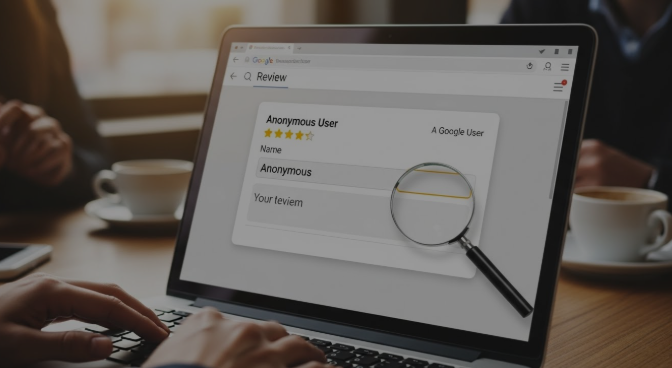
Google reviews are critical for businesses, helping users make informed decisions. But some people ask: “Can you leave anonymous reviews on Google?” Whether it’s for privacy, fear of backlash, or personal discretion, the question is common and the answer is nuanced.
This guide provides the most complete, high-authority answer available, including instructions, risks, alternatives, and FAQs.
Short Answer: Can You Leave Anonymous Reviews on Google?
No, Google does not allow completely anonymous reviews. Every review is tied to a Google account, which requires a name (real or pseudonym). While you can limit what personal info is visible by adjusting privacy settings or using a controlled pseudonym, truly anonymous reviews where no name is displayed are not permitted under Google’s policies.
Attempting to bypass these rules with fake accounts may result in review removal or account suspension.
Understanding Google Review Policies
How Google Reviews Work
- Google reviews are always connected to a Google account.
- Publicly, your name and profile photo appear alongside your review.
- Reviews can’t be posted “anonymously” in the sense of no name showing.
Google’s Identity & Authenticity Requirements
- Google enforces a real-names policy to maintain credibility.
- Anonymous reviews are restricted to prevent spam, fake reviews, and malicious content.
- Exceptions are rare, and generally, pseudonyms or partial identifiers are tolerated if non-deceptive.
The Reality of “Anonymous” Google Reviews
Can You Post Without a Google Account?
No. A Google account is mandatory. Any review without an account is impossible.
Can You Hide Your Name After Posting?
- Limited. You can adjust your profile name or display settings, but the review will always show some identifier.
- Deleting a name entirely is against policy.
Risks of Attempting Anonymity
- Reviews may be removed
- Fake accounts can be flagged and suspended
- Misrepresentation can trigger permanent Google penalties
Alternative Ways to Leave Private or Pseudonymous Feedback
Using Pseudonyms Within Google’s Guidelines
- Slight variations of your name
- Avoid misleading or offensive names
- Keeps identity somewhat private while staying compliant
Third-Party Review Platforms
- Platforms like Yelp, Trustpilot, and Sitejabber sometimes allow more anonymity
- Check platform rules for pseudonyms and privacy options
Providing Feedback Without Leaving Public Reviews
- Contact businesses directly
- Use feedback forms or surveys
- Many companies respond to private feedback more effectively
How to Leave a Review with Maximum Privacy
Step 1: Understand Google’s Real-Name Policy
-
You must use your account name or a compliant pseudonym
Step 2: Consider Pseudonyms Carefully
- Minor adjustments are safer than completely fake names
- Avoid violating Google’s policies
Step 3: Adjust Your Google Account Settings
- Hide your profile photo
- Limit connected account visibility
- Check your public profile
Step 4: Leave the Review
-
Ensure content is truthful and policy-compliant
Step 5: Monitor and Edit if Needed
-
You can update or adjust your review name later within Google’s rules
Anonymous Reviews vs Public Reviews on Google
| Review Type | Anonymity Possible? | Visibility | Risk | Best Practice |
|---|---|---|---|---|
| Standard Google Review | No | Public | Low | Use real name |
| Pseudonym | Conditional | Public | Medium | Minor edits, privacy settings |
| Third-Party Review | Yes | Public or Private | Low | Check platform rules |
| Direct Feedback | Yes | Private | Very Low | Use contact forms |
Common Mistakes & Risks
- Using fake accounts
- Attempting to hide identity completely
- Posting defamatory or spammy content
- Expecting total invisibility while staying compliant
Frequently Asked Questions (FAQs)
Can I post a Google review without my name showing?
Not fully. Only pseudonyms are allowed, and the review will display a name.
Is it legal to leave anonymous Google reviews?
Yes, but you must follow Google’s real-name policy. Illegal actions (defamation, harassment) are not protected.
Can businesses see my identity if I use a pseudonym?
Only if you violate rules or connect through other accounts; otherwise, pseudonyms protect privacy somewhat.
Will anonymous reviews get removed?
Yes, if they violate Google’s policy.
Are there safe alternatives to anonymous reviews?
Yes: third-party review sites, surveys, or direct feedback.
Can I edit my Google review to hide my identity later?
You can adjust your display name, but true anonymity isn’t allowed.
Conclusion
You cannot leave truly anonymous reviews on Google. For more information you should contact Incline Solution where Every review is tied to a Google account and shows a name. The safest options for privacy-conscious users are:
-
Use a compliant pseudonym
-
Adjust Google account privacy settings
-
Explore third-party platforms for more anonymity
-
Provide private feedback directly to the business
Staying policy-compliant while protecting your privacy ensures your review remains live and credible.



Leave a comment