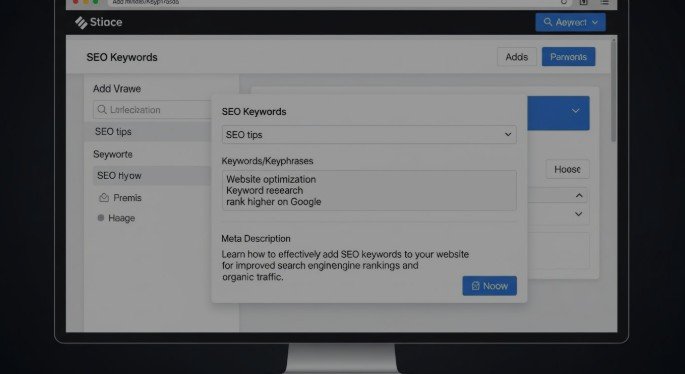
Adding SEO keywords to your website is one of the most important skills in modern search engine optimization but it’s also one of the most misunderstood. Done correctly, keyword placement helps Google understand your content, match it to search intent, and reward your pages with higher rankings and qualified traffic. Done incorrectly, it can suppress rankings or even trigger algorithmic penalties.
This guide is written to be the most complete, practical, and Google-aligned explanation of how to add SEO keywords to your website, from fundamentals to advanced optimization.
Short Answer: How to add seo keywords to your website
To add SEO keywords to your website, place one primary keyword naturally in your page title, H1, headings, body content, URL, image alt text, and internal links while aligning everything with search intent. Avoid keyword stuffing, hidden text, and irrelevant placement, as these can hurt rankings instead of helping them.
Understanding the Basics of SEO Keywords
SEO keywords are the words and phrases people type into search engines to find information, products, or services. Search engines use these terms to determine what your page is about and when it should appear in search results.
However, modern SEO is no longer about repeating exact phrases endlessly. Google now evaluates:
- Context
- Meaning
- Topic coverage
- Search intent
Keywords vs Topics vs Search Intent
- Keywords are specific phrases (e.g., “SEO keyword placement”)
- Topics are broader subject areas (e.g., “on-page SEO”)
- Search intent is the reason behind the query (learn, buy, compare, navigate)
Correct keyword placement bridges all three helping Google connect your content to the right audience.
Types of SEO Keywords You Need on Your Website
Not all keywords serve the same purpose. A strong SEO strategy uses multiple types strategically.
Short-Tail vs Long-Tail Keywords
- Short-tail: Broad, high competition (“SEO keywords”)
- Long-tail: Specific, lower competition (“how to add seo keywords to your website”)
Long-tail keywords often convert better and rank faster.
Keyword Intent Types
- Informational: Learn something
- Navigational: Find a brand or site
- Commercial: Compare options
- Transactional: Ready to buy or act
Primary vs Secondary Keywords
- Primary keyword: One main focus per page
- Secondary/supporting keywords: Variations and related terms that reinforce relevance
Why Proper Keyword Placement Matters for SEO
Google crawls your website and analyzes where and how keywords appear to evaluate relevance and quality.
Proper placement:
- Improves indexing accuracy
- Signals topical authority
- Increases click-through rates
- Strengthens internal linking relevance
Improper placement such as stuffing or irrelevant usage can confuse algorithms and suppress rankings.
How to add seo keywords to your website the Right Way
Keyword placement should feel natural, intentional, and user-first.
How to add seo keywords to your website Without Hurting Rankings
Over-optimization is one of the most common SEO mistakes. The goal is not to “insert” keywords, but to integrate them seamlessly into valuable content.
Best practices include:
- Writing naturally for humans
- Matching keyword usage to search intent
- Prioritizing clarity and usefulness
- Supporting the main keyword with semantic variations
Step-by-Step Guide: How to Add SEO Keywords to Your Website
Step 1: Identify the Right Keywords for Each Page
Assign one primary keyword per page. This avoids keyword cannibalization and clarifies page purpose.
Map keywords based on:
- Search intent
- Page goal
- User journey stage
Step 2: Add SEO Keywords to Page Titles (Title Tags)
Title tags remain one of the strongest on-page ranking signals.
Best practices:
- Place the primary keyword near the beginning
- Keep titles under ~60 characters
- Balance branding with clarity
- Avoid duplication across pages
Step 3: Add SEO Keywords to Meta Descriptions
Meta descriptions don’t directly affect rankings, but they strongly influence click-through rate.
Write descriptions that:
- Include the keyword naturally
- Clearly state value
- Match the content users will see
- Avoid being misleading (Google may rewrite them)
Step 4: Add SEO Keywords to Headings (H1–H3)
- Use one H1 per page, containing the primary keyword
- Place supporting keywords in H2s and H3s
- Use headings to structure content logically and clearly
This improves readability and topical relevance.
Step 5: Add SEO Keywords Naturally Within Body Content
There is no fixed keyword density rule. Instead:
- Use the primary keyword where it fits naturally
- Include synonyms and related phrases
- Write comprehensively to cover the topic fully
Google’s NLP systems reward depth and clarity over repetition.
Step 6: Add SEO Keywords to URLs
SEO-friendly URLs are short, descriptive, and readable.
Best practices:
- Use hyphens, not underscores
- Include the primary keyword
- Avoid unnecessary parameters
- Update URLs cautiously on existing pages (use redirects)
Step 7: Add SEO Keywords to Images (Alt Text & File Names)
Image optimization supports accessibility and image search visibility.
- Rename image files descriptively
- Write clear alt text that describes the image
- Include keywords only when relevant
Avoid stuffing alt text with keywords.
Step 8: Add SEO Keywords to Internal Links
Internal linking reinforces relevance and authority.
- Use descriptive anchor text
- Link related pages within topic clusters
- Avoid overusing exact-match anchors
Where NOT to Add SEO Keywords
Certain practices can actively harm SEO:
- Keyword stuffing in footers
- Hidden text or invisible keywords
- Irrelevant boilerplate content
- Repeating keywords where they don’t add value
If it doesn’t help users, it likely won’t help rankings.
Comparison Table: SEO Keyword Placement Methods
Placement Area |
Seo Impact |
Difficulty |
Risk Level |
Best Practice |
|---|---|---|---|---|
| Title Tags | Very High | Low | Low | Always include primary keyword |
| H1 Headings | High | Low | Low | One H1 per page |
| Body Content | High | Medium | Medium | Natural usage only |
| URLs | Medium | Low | Low | Short and descriptive |
| Image Alt Text | Medium | Low | Low | Descriptive, not stuffed |
| Internal Links | High | Medium | Low | Contextual anchors |
Common Mistakes When Adding SEO Keywords
- Keyword stuffing and unnatural repetition
- Targeting multiple primary keywords on one page
- Ignoring user intent
- Over-optimizing exact-match anchor text
- Chasing volume instead of relevance
These mistakes are common and avoidable.
Advanced Tips for Keyword Optimization
- Use semantic keywords to reinforce meaning
- Optimize for entities and topical authority
- Refresh older content with improved keyword alignment
- Consolidate overlapping pages through content pruning
Advanced SEO is about precision, not volume.
FAQs About How to Add SEO Keywords to Your Website
How many SEO keywords should I use per page?
One primary keyword, supported by related secondary terms.
Can I rank without exact-match keywords?
Yes. Google understands synonyms and context, but exact matches still help clarity.
How often should SEO keywords appear in content?
As often as it feels natural focus on completeness, not counts.
Do keywords still matter for SEO in 2025?
Absolutely. They guide relevance, intent matching, and indexing.
Should I add SEO keywords to every page?
Yes, but only if each page serves a clear purpose.
What tools help with keyword placement?
Google Search Console, Ahrefs, SEMrush, and Surfer SEO.
How long does it take to see results after adding keywords?
Typically 2–12 weeks, depending on competition and site authority.
Can adding keywords hurt my rankings?
Yes if done improperly through stuffing or misalignment with intent.
Conclusion: How to Add SEO Keywords to Your Website for Long-Term Rankings
Learning how to add SEO keywords to your website is not about manipulation it’s about communication. You’re clearly signaling to search engines what your content is about while delivering genuine value to users.
Focus on:
- Intent-driven keyword selection
- Strategic, natural placement
- High-quality, structured content
- Long-term topical authority
When done right, keyword optimization becomes a growth engine not a risk.



Leave a comment